The program features are described below with reference to the program windows; and at the bottom of this page.
Thanks to Heiko Plate for the  German translation and to Renaldy Santos for the
 Portuguêse Brasileiro translation.
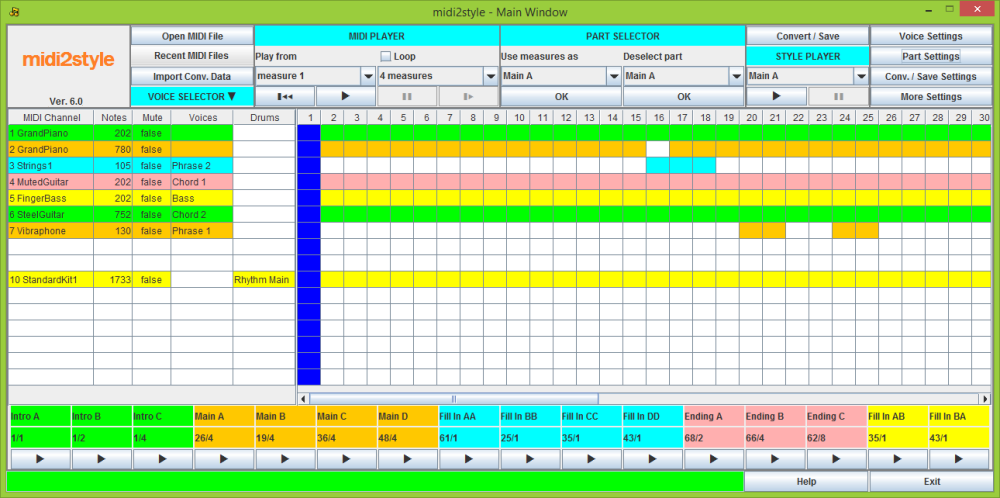
The initial conversion can be performed in the opening Main Window. Most often some fine-tuning is required. This is done in the following windows.
Here you open a MIDI file from the 'Open MIDI File' button or the 'Recent MIDI Files' list.
If you have a 'Conversion Data' file from a previous project then import it.
Play the MIDI file to find which measures and which voices you can use.
In the left part of the Piano Roll you can mute channels individually; and in the 'MIDI Player' you can loop a section of the file to find loopable measures.
Select the measure blocks for the style in 'Part Selector'.
Select which voices (MIDI file channels) to use for the 8 output channels in the style in 'Voice Selector'. Don't use melody line channels for styles!
Convert and save the Style file. You need not save now. You will be warned if you try to run a new project or close the program without having saved.
You will be asked to save a conversion data file when saving the style. This is recommended as you then will be able to continue a project later.
Check the style parts in 'Style Player'. This will NOT sound as the keyboard; but it will tell you, if there are critical errors in your selections.
Fine-tune the style in the following windows. Access buttons to these windows are in the right side of this window.
These will be accessible once a file has been loaded.
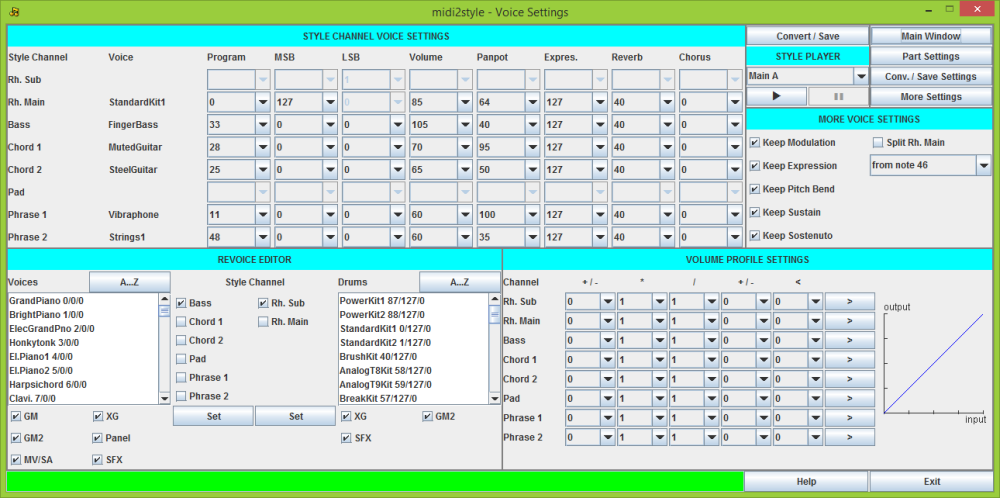
In this window you can set all the voice related settings.
In 'Style Channel Voice Settings' you can change your initial voice selection by changing the 'Program'; 'MSB' and 'LSB' values.
Furthermore you can set the common voice parameters.
In 'More Voice Settings' you can decide to keep or decline some more voice features.
Here you can furthermore split the 'Rhythm Main' channel and move percussion instruments to the 'Rhythm Sub' channel.
In the bottom left part you will find the 'Revoice Editor' which makes voice selection somewhat easier.
To get the right voice list make sure you have selected your keyboard model in 'More Settings' window -> 'Program Setup'.
In the bottom right part you will find the 'Volume Profile Settings', which makes it possible e.g. to lower high volume notes; to raise low volume notes; to limit volume etc.
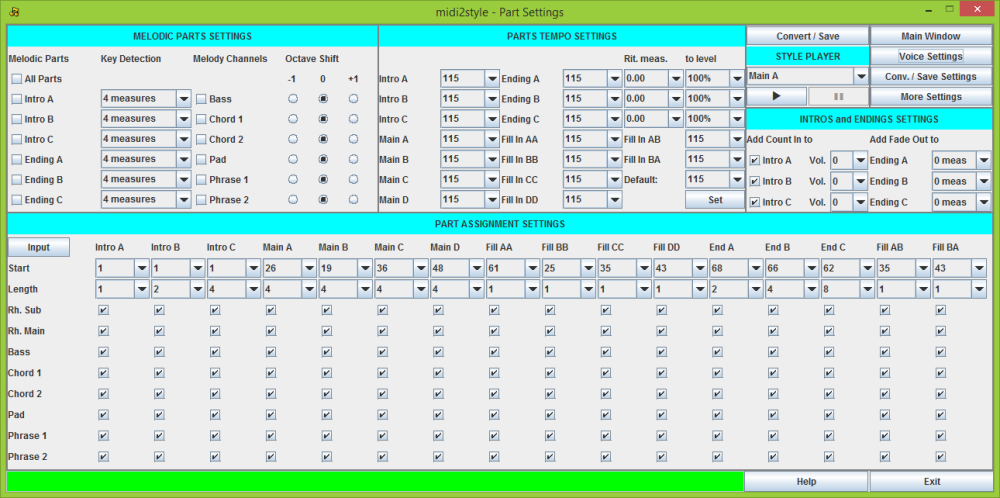
In this window you can set all the part related settings.
In 'Melodic Parts Settings' you can select 'Melodic Parts', i.e. parts playing not-harmonized; and set which channel to play the melody line.
In 'Parts Tempo Settings' you can set an individual tempo for all parts.
In 'Intros and Endings Settings' you can add 'Count In' to intros and 'Fade Out' to endings.
In 'Part Assignment Settings' you can change the initial part selection.
In the lower part you can select and deselect voices to sound in the various parts.
For instance, often the 'Main A' part have fewer active voices than the 'Main D' part.
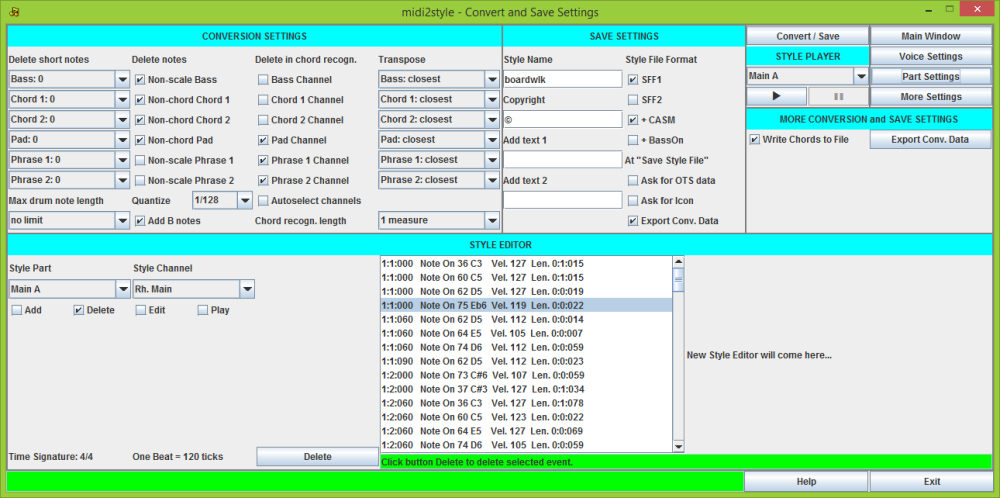
In this window you can set all the conversion and save related settings. Furthermore you can edit your converted style file.
In 'Conversion Settings' you will find the conversion parameters. The settings here have the most influence on the conversion result.
If not satisfied with the conversion result, it is recommended to change the settings in the 'Delete notes' and the 'Delete in chord recognition' columns.
In 'Save Settings' you can add information to the style file; select style file format; and add various features while saving.
In 'More Conversion and Save Settings' you can write chords in the MIDI file to a log file (more in the 'More Settings' window); and you can 'Export Conversion Data' if not done through the save process.
In 'Style Editor' you can fine-tune your style by editing, adding and deleting notes and events.
Furthermore you can play the style parts and channels individually.
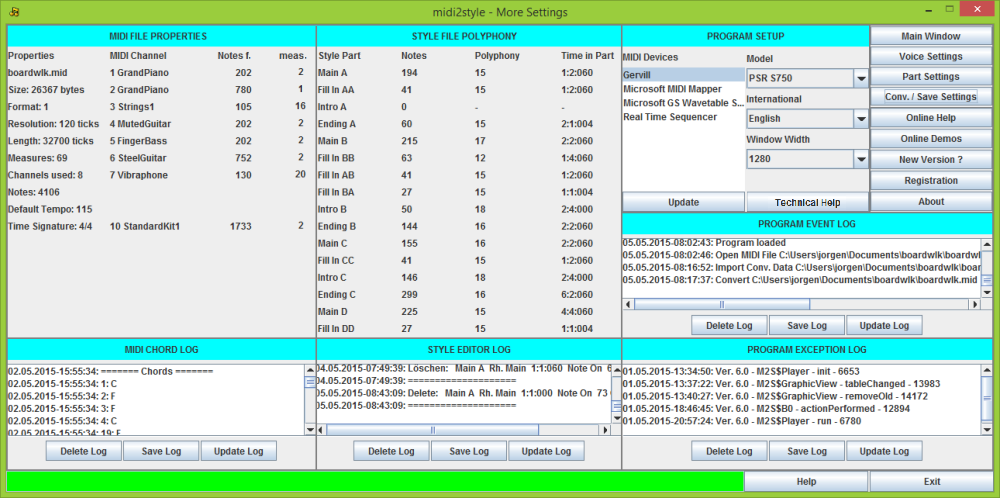
In this window you will find more information.
In 'MIDI File Properties' you will find data for the MIDI File.
In 'Style File Polyphony' you will find the maximum polyphony in the style parts.
In 'Program Setup' you can select keyboard model, MIDI, language and Program Window Width.
In the last right column you will find access buttons for online resources etc.
In 'MIDI Chord Log' you will find a list of chords in measures in the MIDI file; in 'Style Editor Log' a list of edits in the 'Style Editor' (if any).
In 'Program Event Log' and in 'Program Exception Log' you will find data about 'normal' and 'erratic' program events.
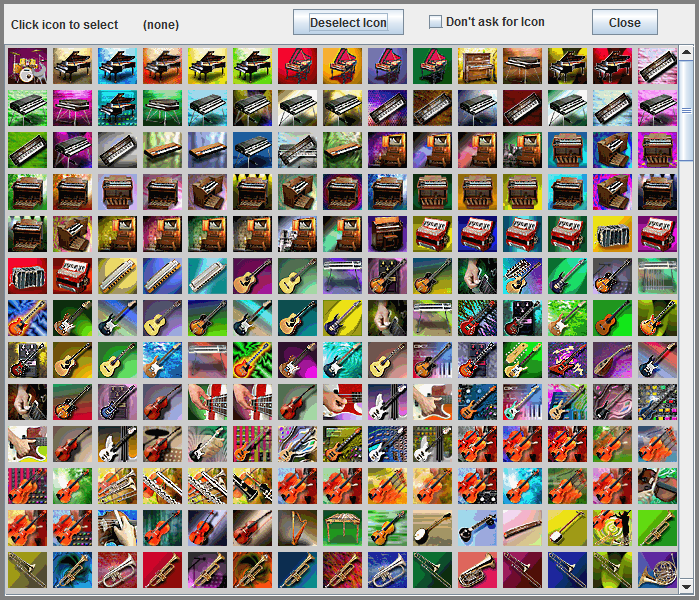
This window is for adding an icon to the style file (will open during the save style process).
• midi2style reads MIDI files format 0 and format 1
• MIDI files with all time signatures (including 32th's) and in all keys can be used for conversion
• MIDI file length is only limited by computer resources
• All 16 known Yamaha style parts can be created
• Maximum style parts length is 64 measures (fills one measure)
• Volume, Pan, Expression, Reverb and Chorus controllers can be set individually for each channel
• All channels can be muted individually in all style parts
• Conversion settings can be saved for future use for new conversions
• Overlapping notes are corrected
• Automatic correction of some MIDI errors
• User Interface in  English, German,
  Danish and Portuguêse Brasileiro
• Any MIDI Device present in your system can be configured for playback.
• Piano Roll Viewer for MIDI file playback
• MIDI file player with mute voice and loop functions
• Support for all keyboard voice types
• Voice selections for compatible keyboard models are validated
• MIDI file voices can be reassigned
• Style name, copyright notice and two text messages can be included into style file
• Count In can be added individually to the Intro parts
• Fade Out can be added individually to the Ending parts
• The number of Fade Out measures in Ending parts is selectable
• Most used controller events can be included into the style file
• Six levels of quantizing (no - 1/256 - 1/128 - 1/64 - 1/32 - 1/16)
• Styles can be saved in SFF1 or SFF2 format. SFF2 is also known as SFF GE.
• A default CASM section (2 versions) can be added
• Splitting of MIDI file drum/percussion channel 10 into Rhythm Sub and Rhythm Main at user defined note number
• Notes shorter than a user defined length can be removed automatically
• Drum notes can be shortened to a user defined length
• Non-scale and non-chord notes can be deleted to avoid disharmonies
• Delete channels individually in internal chord recognition to avoid influence from "melody line" channels
• Five levels of transposing each channel individually for modifying the note level of the channel
• "Missing" B notes can automatically be inserted to assure that "advanced" chords sound right
• The Volume Profile can be set individually in channels
• Tempo can be set individually in style parts (32 - 280 bpm)
• Ritardando (decreasing tempo) can be added to Ending parts
• Intro and Ending Parts can play "melodic" (non harmonized) as the MIDI file
• Style file player with loop option for testing the style before saving
• Style Editor including editing of style at note level; configurable player
• All edits are logged to file
• OTS settings can be added from other style files
• An Icon can be added to the style file
• Maximum polyphony is calculated for each style part
• Program start/stop; file operations; conversions; and OTS data import are logged to file
• Chords in MIDI file are logged to file
• Extensive built-in and online help. The latter can be translated to more than 100 languages.
• and much more ...
midi2style - Program ver. 5 documents:
• midi2style - Getting Started 
• midi2style - Wie fange ich an
At October 29th 2002 Robby (Moderator of the German Yamaha Forum) wrote:
"Ich denke das Jørgen Sørensen den Forums Award verdient hat für sein Programm midi2style"
English translation: "I think that Jørgen Sørensen has deserved the Forums Award for his midi2style program!"

 Hungarian Getting Started by Szele István
The document is for program version 4, and not supported by me.
 Croatian Getting Started by Casper
Croatian Help by Casper
These documents are for program version 5, and not supported by me.