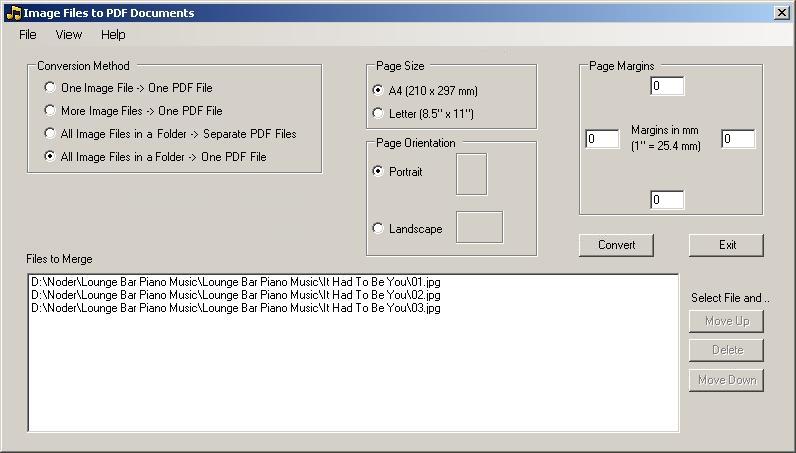
This program can be operated in four modes:
1. One Image File → One PDF File (default)
2. More Image Files → One PDF File
3. All Image Files in a Folder → Separate PDF Files
4. All Image Files in a Folder → One PDF File
In mode 2 the files are added one by one or multi selection. In mode 2 and 4 the files can be reordered before conversion.
Supported image file formats are:
• bmp: Windows or OS/2 Bitmap
• gif: CompuServe Graphics Interchange
• jpg / jpeg: JPEG - JFIF Compliant
• png: Portable Network Graphics
• tif / tiff: Tagged Image File Format
• wmf: Windows Meta File
The program will resize the images to fill the available page area (= Page size - margins) while maintaining the width/height ratio.
A4 (210 x 297 mm) and Letter (8.5" x 11") formats - in Portrait or Landscape mode - are supported.
The four page margins can be set individually.